
Subscription
Upgrade, change, or cancel your Littlebird subscription from the account controls, with no hunting through settings.
Upgrade your plan
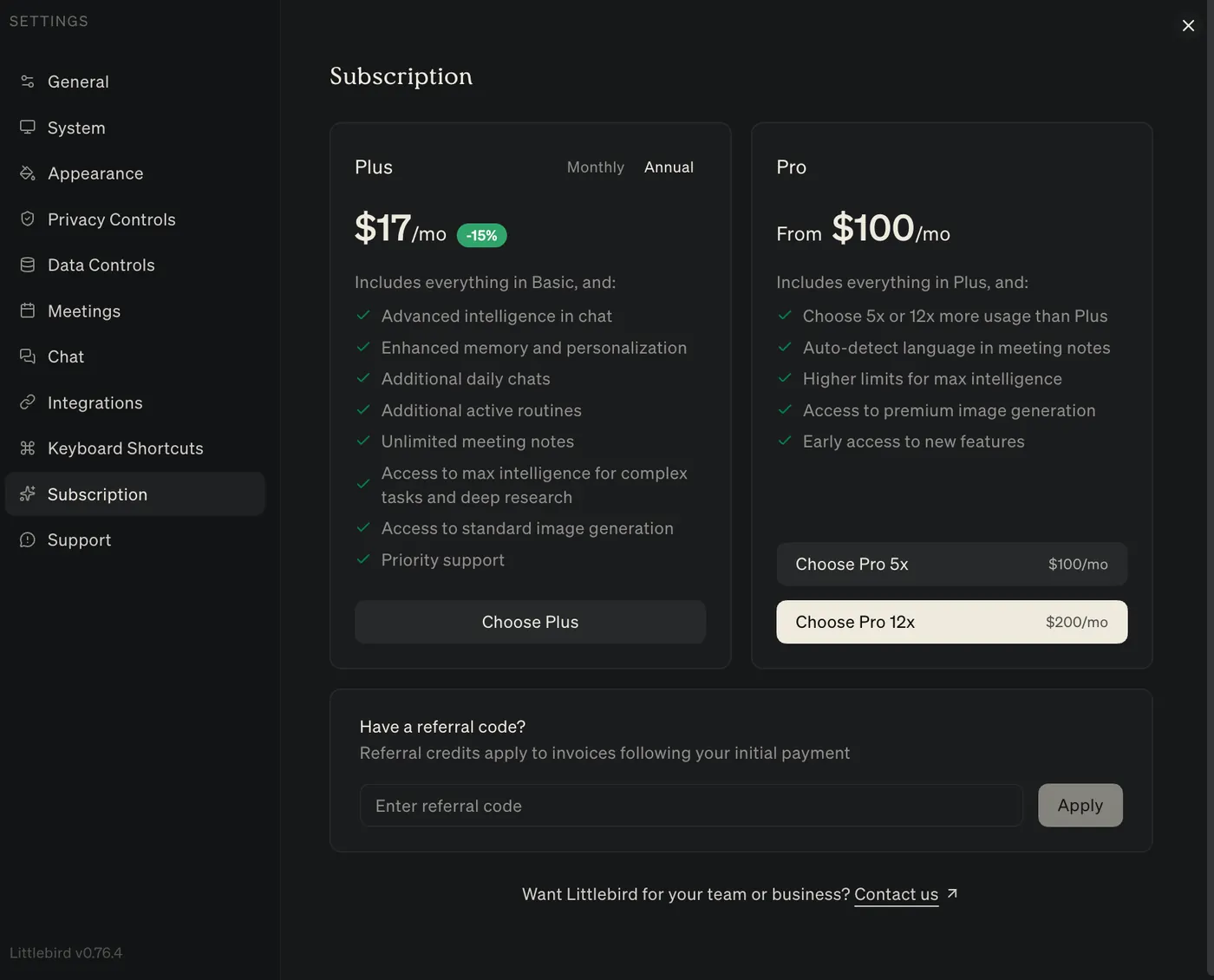
Open your profile menu, then select Settings → Subscription to choose an available paid plan.
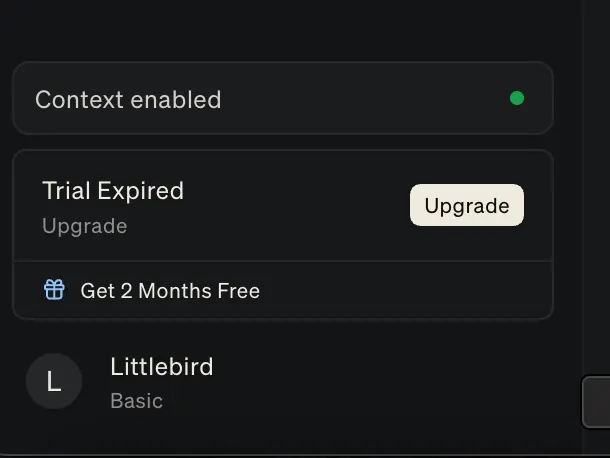
If your trial has expired, you can also start the upgrade from the lower-left corner of Littlebird.
Choose a plan on the Subscription page. Compare the current Littlebird plans.
Cancel your Littlebird subscription
After you cancel, your access continues until the end of the current billing period.
Cancel through the app
- Open Littlebird, select your profile icon in the bottom-left corner, and go to Settings.
- Select Subscription from the left menu.
- Select Manage Subscription to open the billing portal in your browser.
- In the portal, select Cancel Subscription.
- Confirm the cancellation. You’ll receive an email from us confirming it went through.
Note: Your subscription will not auto-renew after cancellation, and you won’t be charged going forward.
If the option is missing
If the subscription page is blank or the cancel option is missing, email us:
Email: support@littlebird.ai
Include the email address associated with your Littlebird account.
Frequently asked questions
Can I reactivate later?
Yes. You can resubscribe from the Subscription page in Settings.
I’m on a free trial - do I need to cancel?
If you signed up for a trial and don’t want to be charged, yes - please cancel before your trial ends to avoid being billed. The steps above are the same.
Still need help? Email support@littlebird.ai.