
Work across apps
Use Chat for active work, Routines for recurring updates, and the mobile app when you are away from your desk.
Littlebird becomes more useful when its features support the same piece of work instead of acting like separate tools.
Move a project forward in Chat
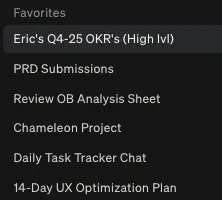
Give each project a dedicated Chat. Start with the outcome, ask for a plan, then keep using the same conversation to refine decisions and create the first deliverable.
Help me move [project] forward. Review my recent notes, conversations, and open tasks. Summarize the current state, identify the next three milestones, and recommend the first piece of work I should complete.
When one task grows into a substantial piece of work, start a separate Chat and carry over only the context it needs.
Let Routines bring updates to you
Use a Routine when you want the same kind of briefing or review on a schedule. Good candidates include a morning plan, weekly activity review, or recurring project update.
- Open Routines.
- Select + New Routine.
- Choose a template or create your own.
- Set the schedule and save it.
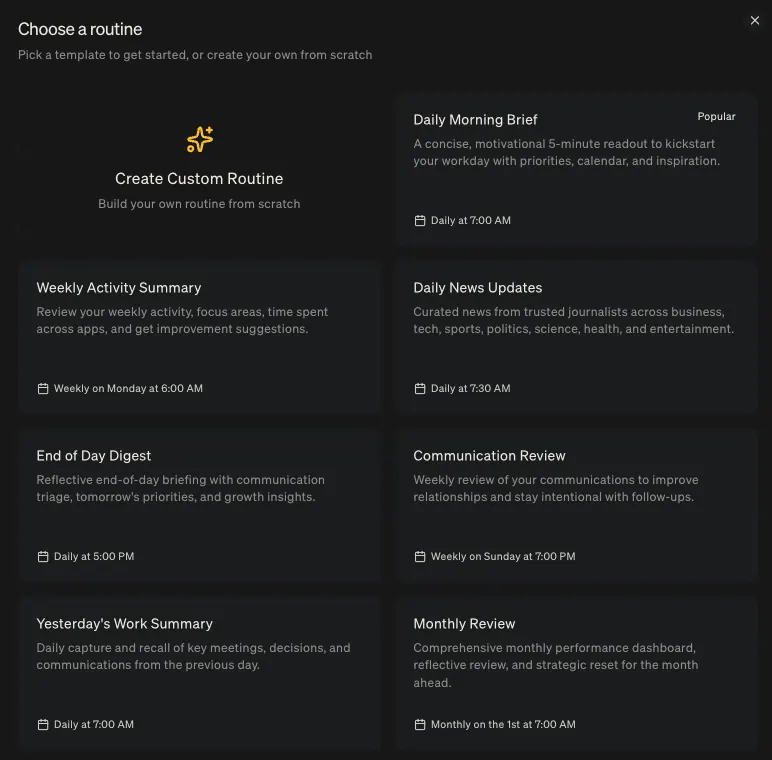
Use Chat when you want to investigate or create something. Use Routines when you want Littlebird to prepare an update without being asked each time.
Stay connected on mobile
The mobile app gives you access to the context collected on your desktop. It does not capture activity from your phone screen.
Use mobile to read a Routine, check a recent Chat, or ask a quick question before a meeting. Return to the desktop app for longer work that depends on what is currently on your screen.