
Account & Settings
Billing
Update your payment method, billing address, or VAT details from the billing portal connected to your Littlebird account.
Change your billing details
Your payment method and billing address live in the Stripe billing portal connected to your account.
- Open Settings → Subscription.
- Select Manage Subscription.
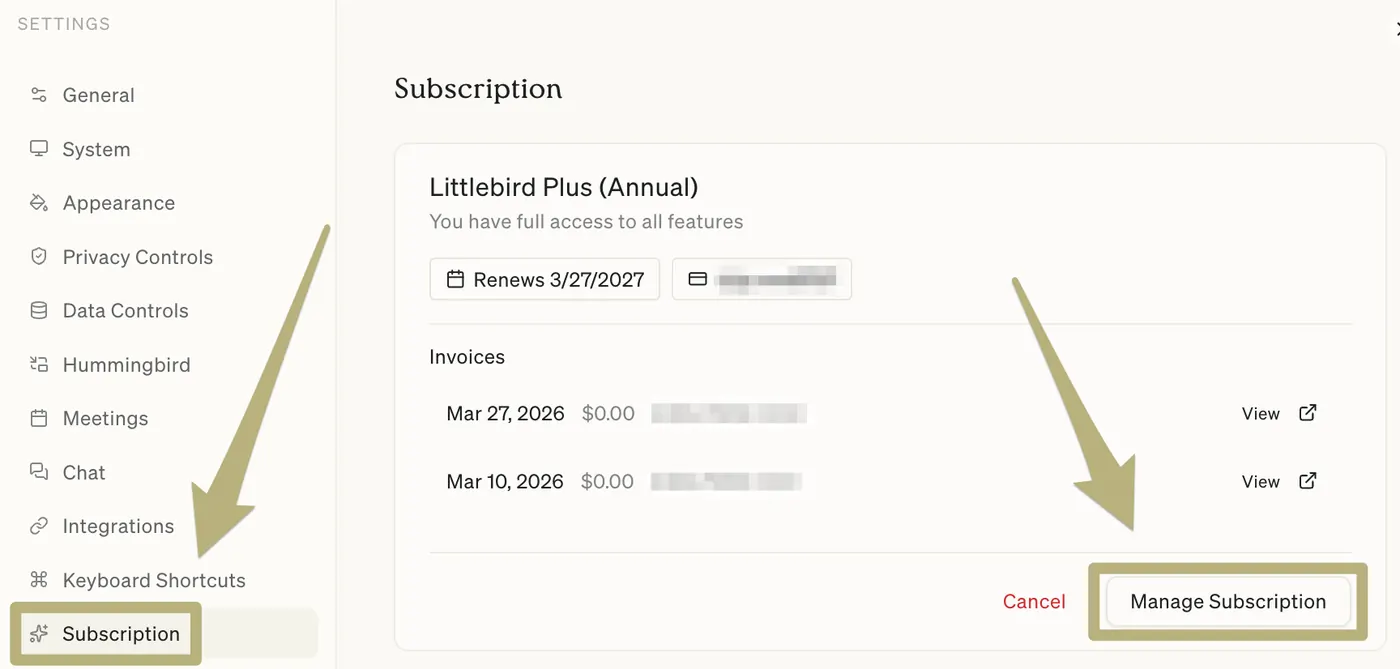
-
Select Update information to change:
- Payment method (credit card, etc.)
- Billing address
- Cardholder name
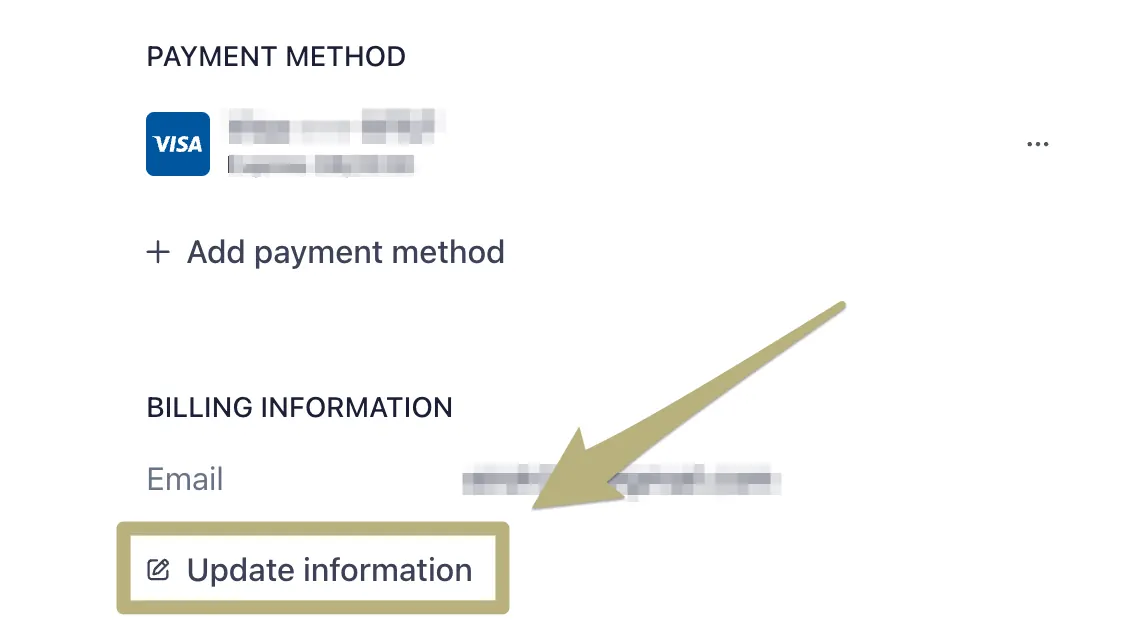
Once you save your changes, any new invoices in Littlebird will reflect the updated details.
Need to change which email gets your invoices? You can do that right in your Littlebird account under Settings → General. (This is separate from your billing address.)
VAT and tax information
If your organization is registered for VAT/GST or operates in a region with specific tax requirements:
- Add your VAT/Tax ID in the Stripe billing portal (same “Update information” section)
- This will automatically apply to all future invoices—no need to contact us
- If you’ve already been charged and need an adjustment, reach out to support with your invoice details and we’ll sort it
Didn’t find what you’re looking for?
If your billing question isn’t covered here or you run into trouble, contact support, we’re happy to help.