
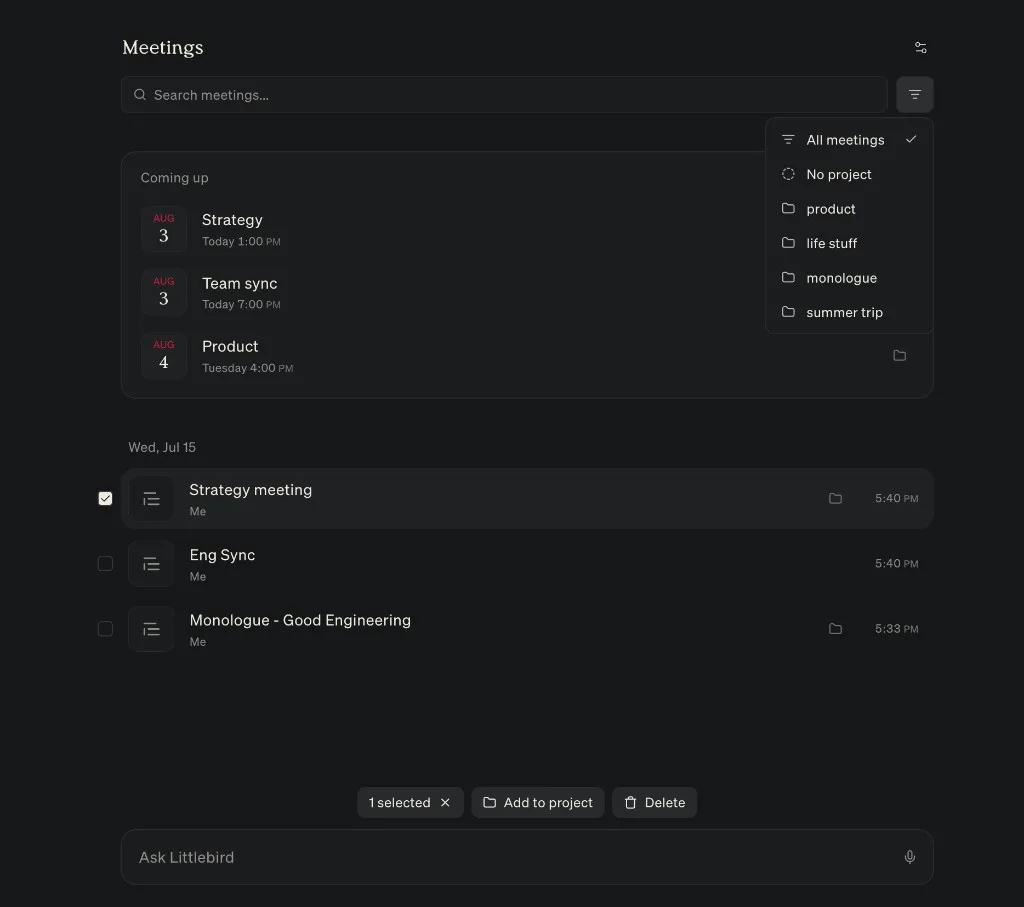
Meeting Notes are easier to organize: filter the list by project to focus on one stream of work, select several notes at once to batch delete or move them to a project. You can also add an upcoming event to a project — and for a recurring event, all of its meeting notes become part of the project. Meeting summaries now follow your Project Instructions, too.
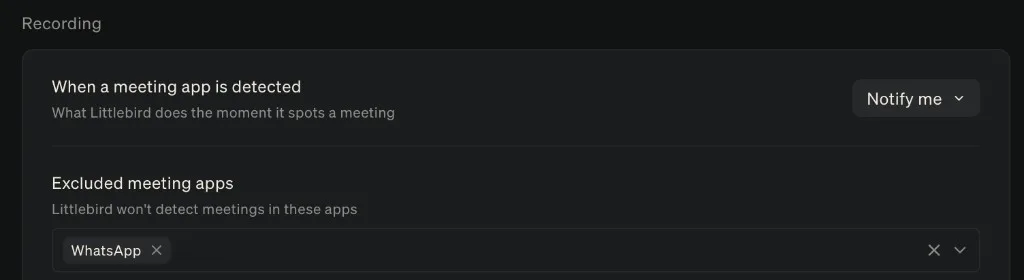
In Settings, you can now choose which apps Littlebird should ignore for automatic meeting detection.
On Mac, transcription quality is significantly improved. If a recording is interrupted, it recovers in the background instead of being lost, and live transcripts animate more smoothly as words arrive and settle into their final form.
Larger tables in your prep notes are easier to manage: open one in a full data grid to edit cells or add and rearrange rows and columns.
Send email without leaving Littlebird
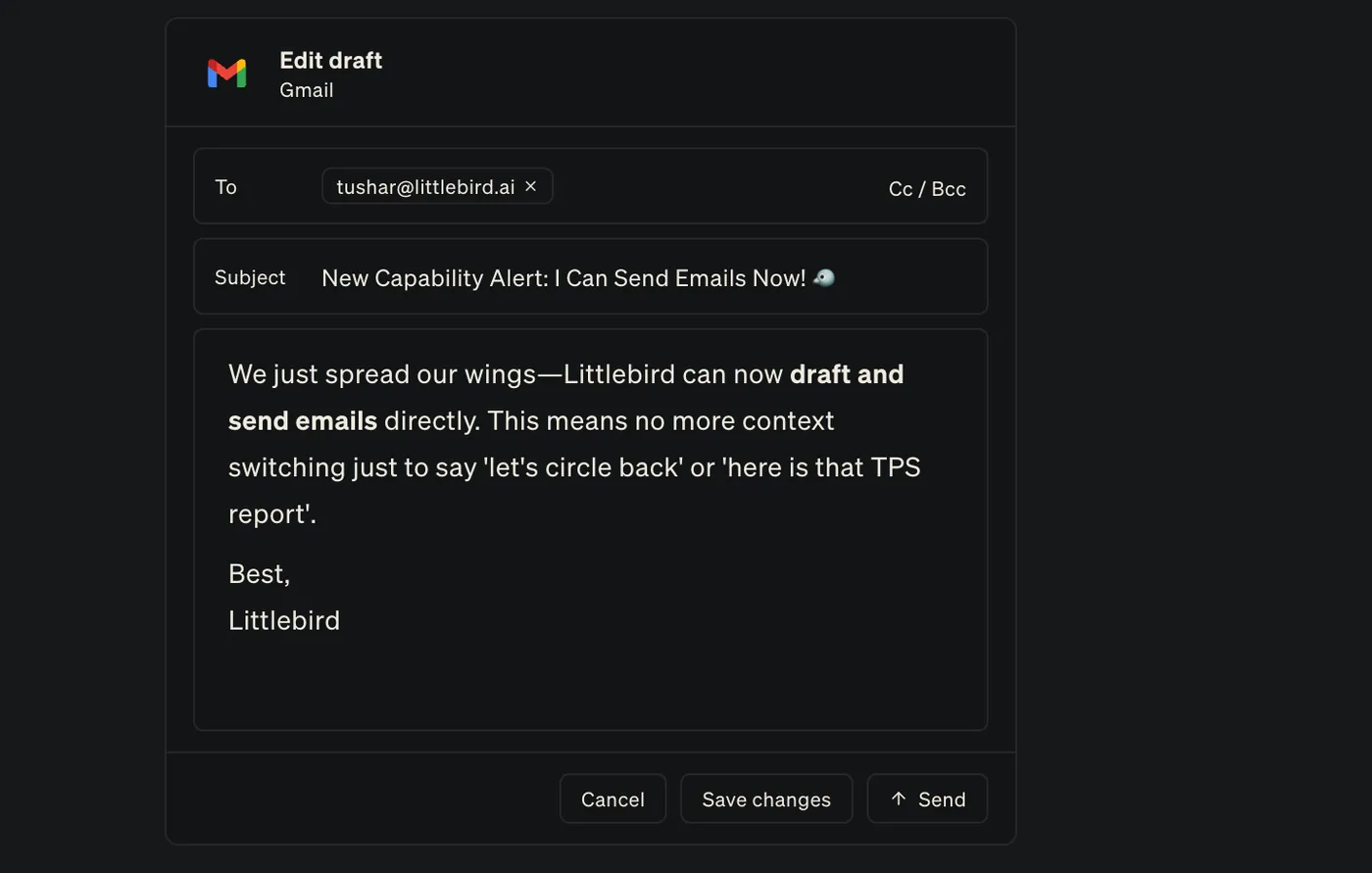
When Littlebird drafts an email, you can now revise and format it directly in the send card before you approve it — no need to move the draft anywhere else.
Find and organize your chats
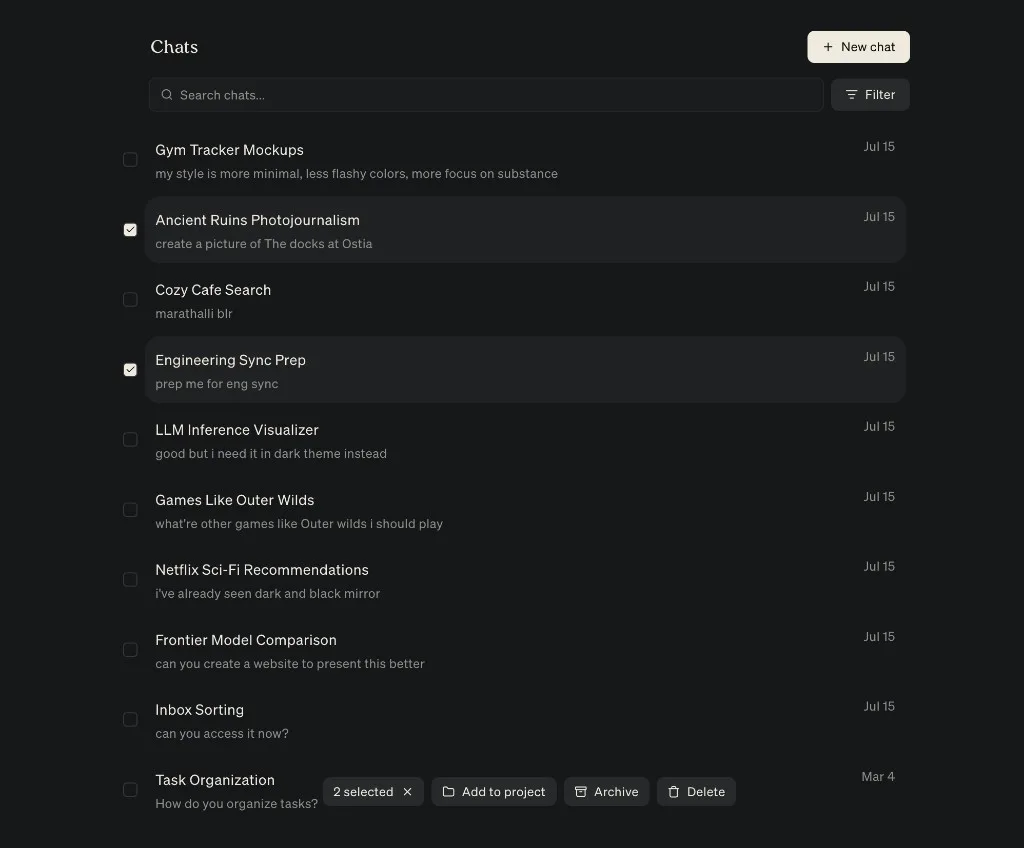
The full Chats view shows a preview of every conversation, with search and filters to narrow the list. Select several chats at once to add them to a project, archive them, or delete them. See how to manage your chats.
See how your team uses Littlebird
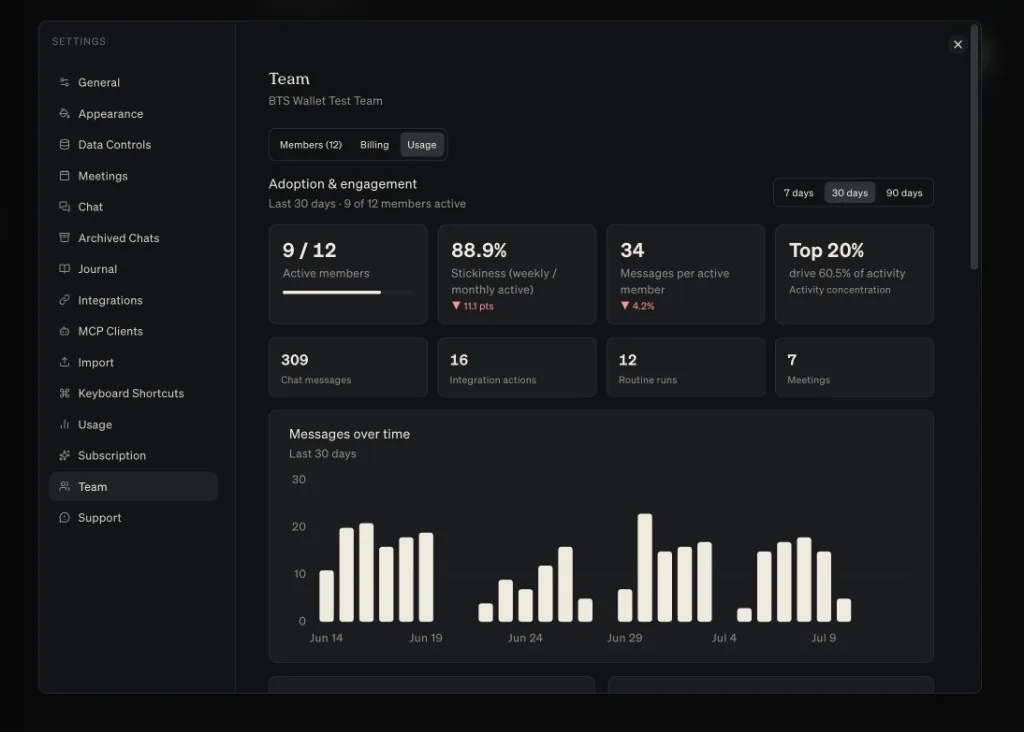
Team admins can now see how Littlebird is landing across the team: adoption and engagement, messages over time, feature use and top integrations. Find it in Settings → Team → Analytics.
Improvements
- HummingbirdBetaBeta accessAvailable to members of Littlebird's Beta program.Join our Discord to apply.
You can now keep several Hummingbird conversations going at once, move between them from a new rail, and attach context from several app windows with @.
- Meeting
Chat can find the right meeting notes more reliably when you ask about a past call.
- Meeting
Meeting Prep gives more weight to your connected integrations when it builds an agenda and talking points.
- Meeting
During a live call, you can collapse Meeting Prep without losing it. After the call, dismiss it or reopen it from the meeting menu.
- Meeting
The Granola import screen now supports drag and drop, lets you review a CSV before importing it, and explains where to find your Granola export.
- Meeting
When you stop a recording yourself, you can review the transcript before you choose Generate summary.
- Routines
Chat can answer questions about past Routine outputs, and a Routine can refer back to its own or another Routine’s previous reports.
- Chat
If a file upload fails in Chat, tap the attachment to retry it without choosing the file again.
- Android
Context collection setup now explains what the Accessibility Service reads and why, with one control to start or pause collection.
- Integrations
If browser sign-in for an MCP server gets stuck, you can switch to an API key. Servers that use Basic authentication can also accept an email or username.
- Integrations
Canva is available again in Add Integrations. iMessage and WhatsApp now have clearer connection and status screens, and Channel settings load faster with a clear way to retry a failed read.
- Outlook
Organizations connecting Outlook now see a clear confirmation page after an admin grants access instead of landing on an error.
- Context
Littlebird can capture context more reliably from the latest ChatGPT and Claude apps, including Work, Codex, and Claude Code views, as well as Antigravity and Spark Classic.
- macOS
Setup now uses short animations to preview accessibility, Integrations, Meeting Notes, and Hummingbird before you enable them.
- Artifacts
Artifact links now open correctly, Command-click opens an artifact in a new tab, and new artifacts show a progress card while they load.
- Chat
Repeated tool calls now collapse into one reasoning step, making longer answers easier to follow.
- Chat
Past conversations load faster as Littlebird refreshes your chat history.
- Projects
The project picker uses the full row, shows which projects are starred, and keeps them at the top.
- Usage
You’ll now see a warning when monthly usage is being spent faster than usual.
- Routines
Pause emails include a direct link to resume a Routine, active Routines stay at the top while the list refreshes, and recommendations explain when you have reached your plan limit.
Fixes
- Integrations
Integration and MCP connection failures show a clear error and a way to try again instead of an endless loading state.
- Chat
Chats recover after reconnecting or returning Littlebird to the foreground instead of leaving the send button stuck.
- Chat
If a network, proxy, or firewall blocks Littlebird’s usual Chat connection, Chat falls back to another connection instead of failing.
- MobileMobile Settings now shows the correct name for your current plan.
- Integrations
Integration settings now open reliably when you select an integration or connection action.
- Android
Littlebird’s initial sync now completes reliably instead of occasionally losing part of the response.
- Chat
Prices, ranges, approximate values, and regular prose no longer turn into accidental math or strikethrough formatting.
- ChatCopying text from messages and code blocks preserves its line breaks.
- Chat
Consecutive assistant messages keep consistent spacing, and the header and composer no longer shift while a Chat loads.
- Chat
Opening a new Chat tab starts fresh instead of restoring the last conversation, and short conversations no longer hide messages below the fold.
- ChatLinks inside reasoning steps now open in your browser.
- Meeting
Meeting transcription now works reliably for languages that previously failed.
- MeetingA failed summary now shows a clear error and a way to try again.
- MeetingMeeting Prep no longer covers the live transcript.
- Meeting
Opening the Spoken language menu and selecting outside it no longer closes all of Settings.
- Integrations
Google Drive exports now handle PDF and spreadsheet files correctly instead of trying to read them as plain text.
- Integrations
Remember The Milk now completes sign-in whether you connect it from the catalog or add its MCP URL yourself.
- Meeting
Automatic meeting detection now ignores events that include only you and a room or other calendar resource.
- Meeting
Separate occurrences of a recurring calendar event no longer collapse into the same meeting.
- Routines
Creating a Routine now points out a missing title or instructions, and the list no longer flickers or jumps during a refresh.
- Hummingbird
Hummingbird’s background gradient no longer flickers when Reduce motion is enabled.
- Context
The running-app picker opens faster with sharper app icons, and its pause and status controls are easier to tell apart.
- Projects
Assigning a project while creating a Chat now applies the project reliably.
- Mobile
If you have already set up Littlebird on mobile, the desktop app no longer prompts you to download it.
- Meeting
Meeting Notes on web no longer shows a desktop download prompt after you have already finished desktop setup.