
Manage Your Billing Details
Billing Changes
Updating your billing information or need help with VAT? You can manage both directly in your account.
Change your billing details
Your payment method and billing address live in our billing portal, powered by Stripe. Here's how to update them:
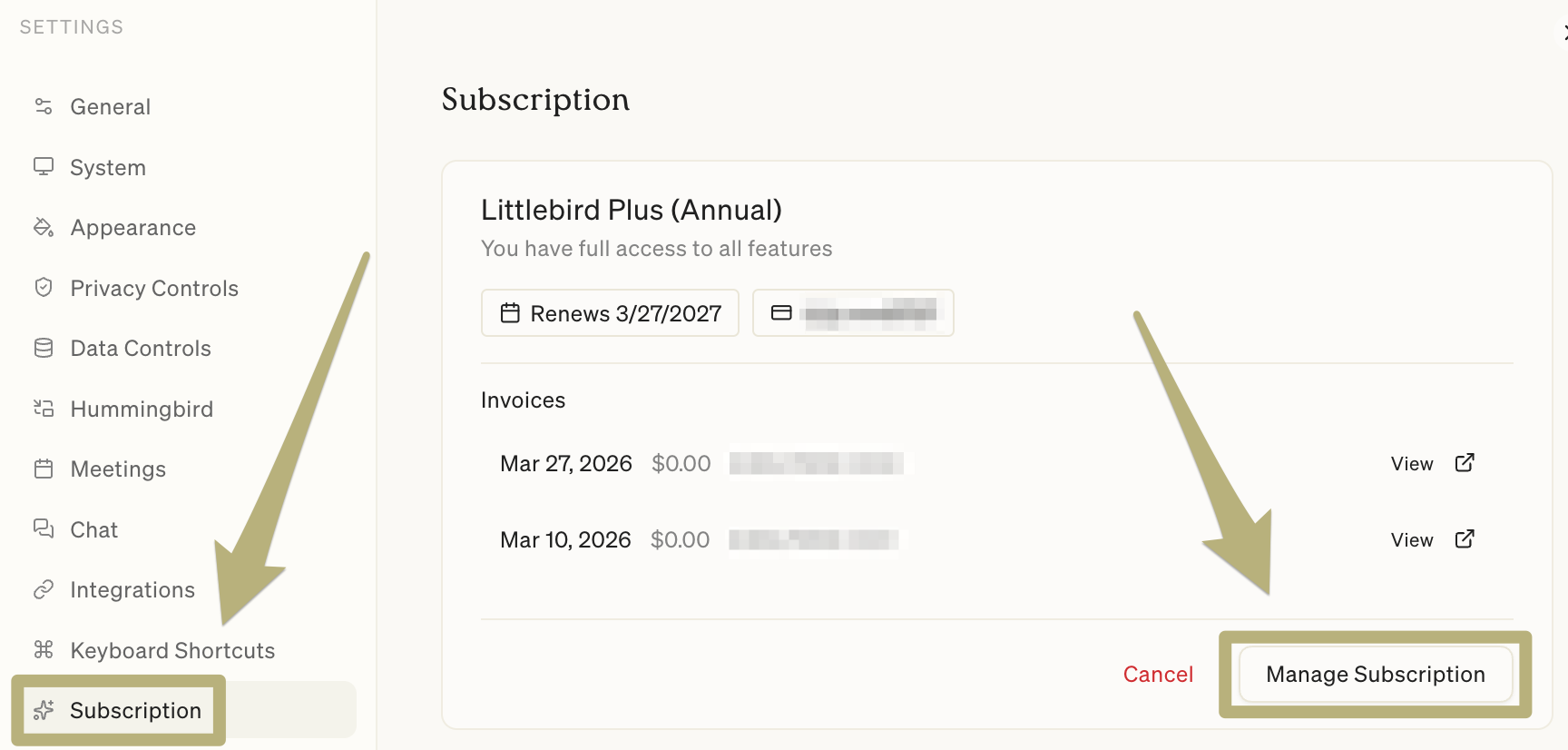
Go to Settings > Subscription
Click "Manage Subscription" to open the billing portal
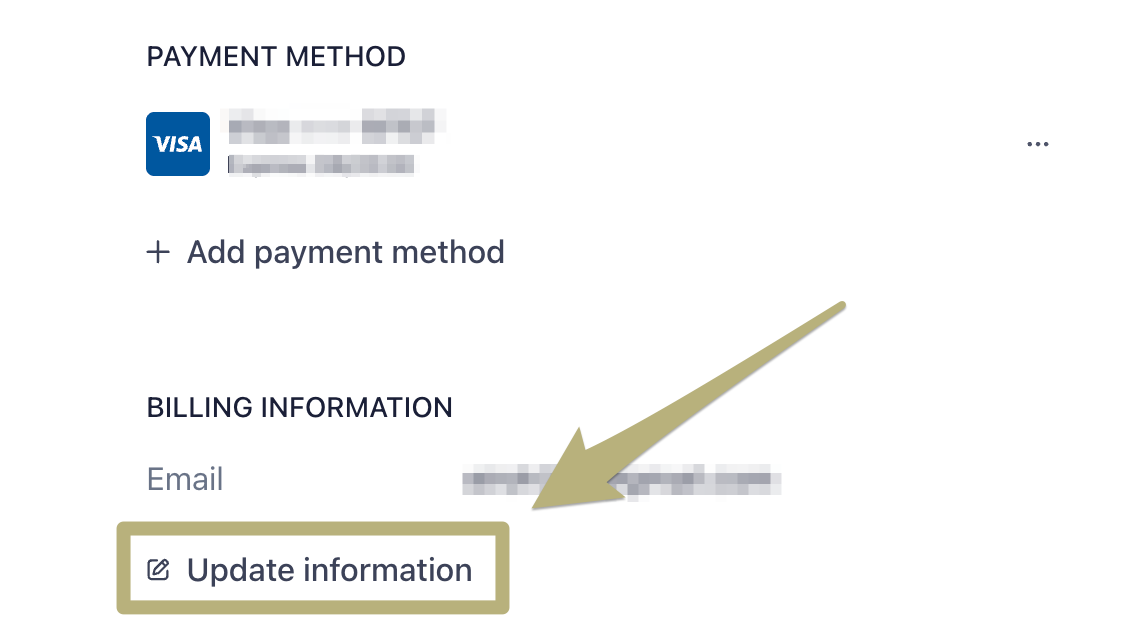
Select "Update information" to change:
Payment method (credit card, etc.)
Billing address
Cardholder name
Once you save your changes, any new invoices in Littlebird will reflect the updated details.
Need to change which email gets your invoices? You can do that right in your Littlebird account under Settings > Account & Settings > Email Address. (This is separate from your billing address.)
VAT & tax information
If your organization is registered for VAT/GST or operates in a region with specific tax requirements:
Add your VAT/Tax ID in the Stripe billing portal (same "Update information" section)
This will automatically apply to all future invoices—no need to contact us
If you've already been charged and need an adjustment, reach out to support with your invoice details and we'll sort it
Didn't find what you're looking for?
If your billing question isn't covered here or you run into trouble, contact support, we're happy to help.